Screen Printing Tips and Instructions:

-What Do I Need?
-Keeping it Cheap
-Designing a Shirt
-Burning a Screen
-Preparing to Print
-Printing Tips
-Curing (Drying)
-More...


Scatterbrain Tees Screen Printed T-shirts

phippsart screen printed shirtsphippsart etsy store1

Michael Phipps screen printed shirts

phippsart screen printed tshirts

phippsart screen printed shirts

Printing Press Photo:

Screen Printing Press

buy hardware for 4-color press

Free Plans for a Four Color T-Shirt Screen Printing Press / Silkscreening Tips

PrintingPlans.com: Free at-home screen printing instructions, DIY money-saving tips and printing press blueprints

NEW: PrintingPlans.com is expanding to include instructions on how to screen print your own T-shirts. From getting your designs onto screens to printing tips to money-saving advice for true do-it-yourselfers. See the links to your left. For the free printing press instructions, continue on below:

Do-It-Yourself homemade T-shirt press instructions- Print Shirts at Home:

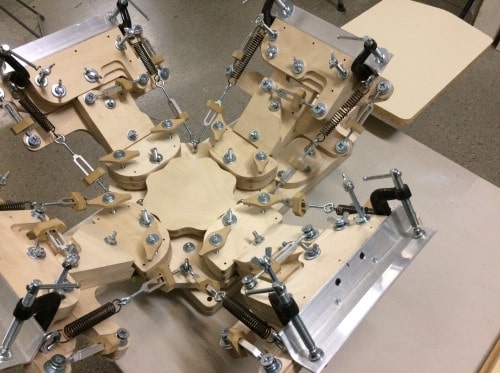
This 4-color, one station screen printing press (pictured at right) was designed and built by Michael Phipps and Dan Mitchell. It is sturdy and precise and can be built for less than $150, which is quite a bit less than even the cheapest commercial presses. You can also add a second station to the press if you desire by using the instructions for the arm and duplicating it on a second side. You can see shirts that were printed on this press at Phippsart- Creative Tshirts and Prints and at ScatterbrainTees.com

Buy hardware needed for this press in one package
Save time, gas and money by having all the necessary hardware shipped to your home.

Download these plans as a PDF.

Plan on a few days to finish the press as it is very involved. It is recommended to have a second person help out as several steps could use one person holding while the other person attaches.

Make sure your 4-color press is precise and sturdy:

The sturdiness and precision of the press is important for the success of multi-color images, so it’s important to be as accurate as possible in your measurements. It is also recommended that you use wood glue at each joint in addition to screws so that the press is as stable as possible. You may also want to pre drill holes before putting in the screws to avoid splitting of the wood (use a bit that’s slightly smaller than the screw). This table is designed for a six foot tall person. To alter it for someone of a different height, adjust parts N and O accordingly.

Tools You’ll Need for the build:

Power Drill/Screwdriver
Wood and Metal Bits
Miter Saw
Table Saw or Circular Saw
Electric Sander
Workbench Vise or Drill Press
Yardstick/Measuring Tape
Pencil
Level
Square
Clamps
Wood Glue
Welding Glue (or tools/materials for welding)
Paper or Card stock

Materials Needed:

In the diagram below you’ll find the dimensions of all the lumber you’ll need. The particle board can be another type of wood as long as it is 1/2” thick. The most important thing regarding the thickness of your wood is that the sum of the width of pieces B, F and the lazy susan turntable is equal to the sum of the thickness of pieces I and U. This will help align everything so your screens float just the perfect height above your shirts for off-contact printing. You should be able to cut all your 2 x 4 pieces out of six 8-foot lengths, so I’d recommend buying seven to be safe. They should all be good, straight pieces, but it is especially important to find a perfectly straight piece for parts T and U.

Note: Part D below is not listed in the instructions. It is a substitute for part K if you choose not to buy a 1 x 4 and would prefer to use your existing plywood.

Screen Printing Press

Hardware Needed:

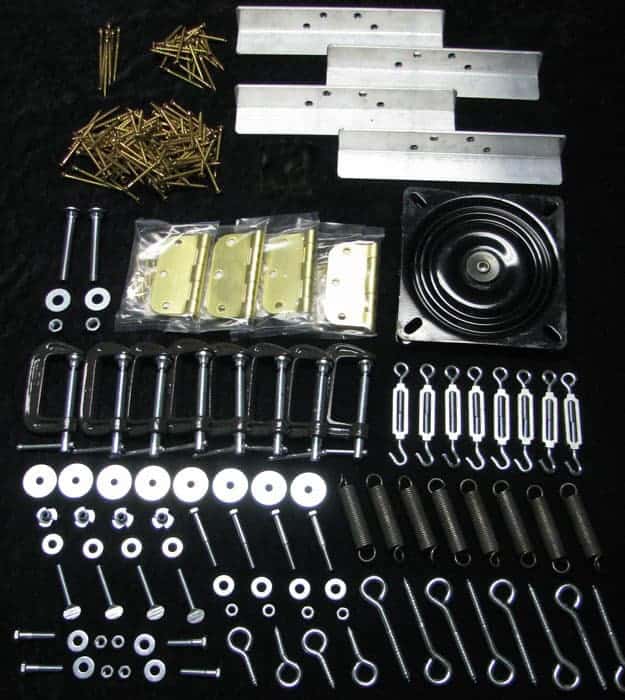
Below you'll find a list of all hardware needed for the project. For convenience and a discounted price, you can buy it all in one place here: discount screen printing hardware packages. Otherwise most of it can be found at your local hardware store, though you may find they don't have the total quantity of the c-clamps or springs on hand. You'll also need to go to a specialty woodworking store to find the swivel (lazy susan). Make sure you get a heavy duty, 7" x 7" x 1" model or you'll compromise the effectiveness of your press.

Hardware needed

Making the Table for the Printing Press:

Step 1: Cut all your lumber, marking each piece with the appropriate letter to make assembly easier. We’ll start by assembling the table itself. First, lay down parts L and Q and attach the legs (part N) as shown (fig. a). Make sure that your angles are perfectly square. Where parts L extend past the legs, use a piece of 2 x 4 to check that the bits that extend are exactly equal to the smaller width of the wood.

Screen Printing Plans

Step 2: Attach the thin sides of parts M to part A as shown in fig. 2. Use only glue and clamps for now. Again using only clamps and glue, set parts A and M on top of the two legs you built in Step 1, so that parts L and M form a square around the perimeter of A. This is shown from above in fig. c. (Dotted lines indicate parts beneath.) Once you feel comfortable with the fit, Go ahead and screw parts L into M, and A into both L & M from the top.

Screen Printing Plans

Step 3: Now you have a standing, albeit weak, table. Attach parts P to legs N as shown in fig. d. Do it in the front and back, both times keeping part P flush to the outside, as seen from above in fig. e. Note: Parts P act as a support beam and rests for a shelf (part E). It can be lowered or raised to suit your preference, and additional shelves may be added if desired.

Printing Plans .com

Step 4: Attach part O to the outside of both sides of the table (fig. f). Make sure you orient them as shown for maximum support. Now secure shelf E onto crossbeams P to act as a shelf. Add part K to the back to help keep items from falling off. You are now finished with the table itself. It should be plenty sturdy with no give at all.

Screen Printing Plans

Page 2: Building the Platen Arm and Platen


Page 3: Building the Rotating Printing Press
Page 4: Building the Rotating Printing Press (Part 2)